5 Best Tips on How to Choose the Right Laser Cleaning Power?

Time:2026-10-29 Author:Isabella
0%

Choosing laser cleaning power is not a matter of selecting the highest wattage. The right setting depends on the contaminant, the base material, and the finish you need to preserve. Rust on thick steel behaves differently from paint on a thin aluminum panel. Too little energy leaves residue behind. Too much can discolor, roughen, or damage the surface.

Laser materials-processing expert Dr. Ronald Schaeffer’s work supports a practical takeaway: use enough energy to remove the unwanted layer while protecting the substrate. This is a paraphrase, not a verbatim quotation. That distinction matters. A reliable power choice also depends on pulse energy, frequency, scan speed, beam size, and the operator’s test results.

In this guide, the five tips explain how to choose the right laser cleaning power for your material and task. You’ll learn how to assess the coating, start with cautious settings, and adjust the beam after inspecting a small test area. Small test first. A clean-looking patch is not always an undamaged one, so check for color change, texture, and heat marks under good lighting. Power is not everything. Real results come from balancing energy with movement and exposure time. These recommendations offer a starting point, not a substitute for the equipment maker’s instructions or a qualified operator’s judgment. A little trial and reflection can prevent a costly mistake.
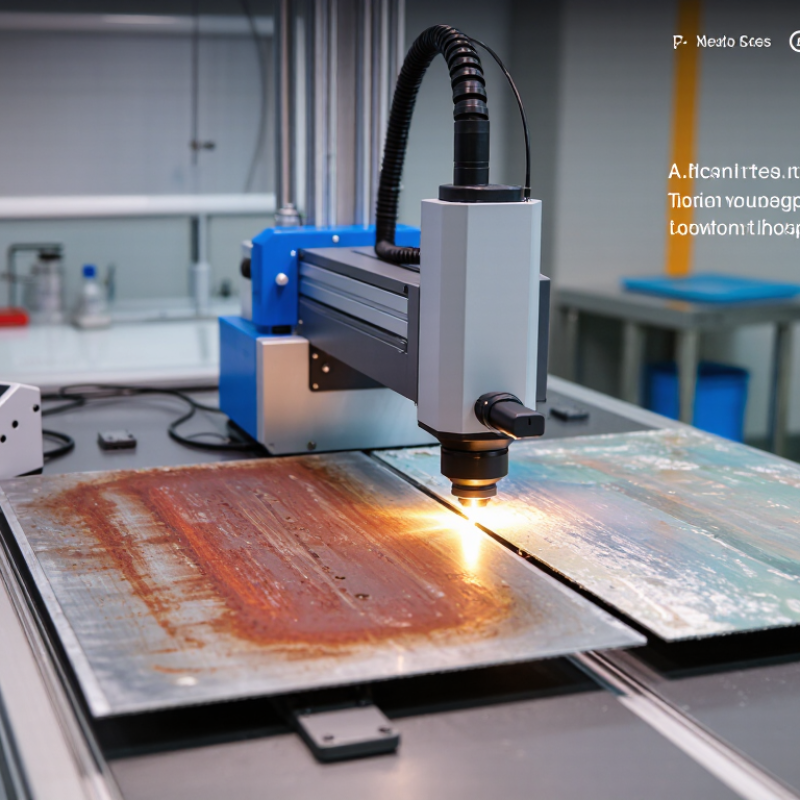
5 Best Tips on How to Choose the Right Laser Cleaning Power?

Understand What Laser Cleaning Power Measures

Laser cleaning power usually means the laser’s optical output, measured in watts. One watt equals one joule per second. But the displayed wattage alone cannot tell you how much energy reaches a particular spot or how quickly a coating will lift.

Not the whole story.

For a pulsed system, average power depends on pulse energy and repetition rate. For example, 200 watts at 20,000 pulses per second equals 10 millijoules per pulse. That figure is calculated, not a recommended setting. A short pulse can have high peak power, while spot size and scan speed change the energy delivered to each square millimetre.

ISO 11554:2017 describes methods for measuring laser power and pulse energy; ISO 11146-1:2021 covers beam-width measurements. These measurements help make comparisons more meaningful.

In practice, test the actual material and contaminant, then inspect the surface under consistent lighting. A rusty patch on a small steel coupon may respond differently from a thin coating on a heat-sensitive part. Record power, pulse rate, spot size, and scan speed together. I still find wattage easy to overvalue; the same setting can produce uneven results when the beam or surface changes.

Identify the Surface Material and Contaminant

Before choosing laser power, identify the base material and the layer you want to remove. Steel can tolerate settings that may discolor thin aluminum or damage a delicate coating. Wood, stone, and plastics need extra caution because heat can leave marks or alter the surface. Check for edges, seams, and thin sections. They may react differently from a flat test panel.

The contaminant matters just as much. Rust, paint, oil, and oxide layers absorb and release laser energy differently. A thick, stubborn deposit may need more passes, not simply higher power. Start with a small test area and inspect it under good lighting. Look for discoloration, pitting, residue, or changes in texture. Small details count. Adjust one setting at a time, and follow the equipment’s operating guidance. In practice, material descriptions can be incomplete, and coatings may hide what lies beneath. That uncertainty deserves a cautious test before cleaning a larger area. A slower pass can sometimes protect the substrate better than a stronger beam.

Match Laser Power to the Cleaning Task

Choose power by testing the coating and substrate together, not by chasing the highest wattage. Thin soot on stainless steel may need less energy than thick oxide on a broad steel plate. Fraunhofer ILT’s published laser-cleaning guidance emphasizes process variables such as fluence and scan speed; average power alone cannot predict removal. Not wattage alone. Check the laser’s pulse duration, spot size, and repetition rate too.

Run small test patches. Start conservatively, then increase power or slow the scan in measured steps. Record removal rate in square centimetres per minute, substrate loss in micrometres, and surface roughness before and after. These numbers reveal whether the setting cleans efficiently or damages the base material. ISO 11553-1:2020 addresses safety requirements for laser-processing machines, not a universal cleaning-power recipe, so validate settings for the actual material and equipment. Small patches first. A practical detail: inspect the edges under angled light, where residue or heat marks can be easy to miss. I would not trust one “ideal” setting across every job; even similar-looking parts can behave differently.

5 Best Tips on How to Choose the Right Laser Cleaning Power? - Match Laser Power to the Cleaning Task
Cleaning Task Indicative Average Power Range How to Choose and Adjust Key Consideration
Light oxide or residue on delicate parts About 20–100 W, commonly with a pulsed laser Begin at the lower end and increase gradually only if residue remains. Use a test area to check the surface after each pass. Prioritize low heat input, especially on thin parts or heat-sensitive substrates.
Light rust on small metal components About 50–200 W Start with a conservative setting, then adjust scan speed and the number of passes before increasing power. Rust thickness, surface finish, and the part’s geometry can change the required settings.
Moderate rust or coating on general metal surfaces About 200–500 W Use controlled test passes to find a balance between cleaning rate and substrate condition. Keep the beam moving evenly. Power alone does not determine cleaning performance; pulse settings, spot size, and scan speed also matter.
Heavy rust or larger-area cleaning About 500–1,000 W or higher, depending on the system Consider higher power when greater throughput is needed, but verify the result on a representative test section before production use. Higher power can increase heat input and may affect the base material if settings or technique are unsuitable.
Paint or coating removal from heat-sensitive material About 20–200 W as a cautious starting range Use a low-power test, short exposure, and suitable scan speed. Stop if discoloration, melting, or surface damage appears. Coating type and substrate matter; confirm that laser cleaning is appropriate for the specific material.
Important: These are broad indicative ranges, not universal operating settings. Average power is only one factor; pulse energy, pulse duration, repetition rate, beam size, scan speed, and material condition all affect results. Follow the equipment manufacturer’s instructions, use appropriate laser safety controls and protective eyewear, and validate settings on a test area.

Balance Power with Pulse Rate and Scan Speed

Power alone does not predict cleaning quality. Pulse rate and scan speed determine how energy reaches each point. Average power equals pulse energy multiplied by repetition rate, so raising the rate can increase heat input even when pulse energy stays unchanged. Move the scan head faster, and each spot receives less exposure. The balance matters.

Riveiro and colleagues’ 2019 review in Materials, 12(8), article 1292, identifies laser parameters and material response as central variables in cleaning outcomes. Use that as a guide, not a preset recipe: coatings, substrate, and contamination all change the result. Start with a small test area. Watch for residue, color change, or surface texture changes. Then adjust one variable at a time. A slower scan may improve removal, but it can also heat or mark the substrate. More power is not always better. Record pulse energy, repetition rate, scan speed, and pass count, so results can be repeated. Even careful tests can mislead if the sample differs from the actual surface.

5 Best Tips on How to Choose the Right Laser Cleaning Power? — Balance Power with Pulse Rate and Scan Speed

Illustrative comparison: Calculated for a constant average laser power of 100 W. Pulse energy = average power ÷ pulse rate; line energy = average power ÷ scan speed. These examples explain how settings relate—they are not recommended settings for a particular material or machine.

  • Start with the material and contaminant: Test on a representative sample and check that cleaning does not damage the substrate.
  • Balance pulse energy and pulse rate: At a fixed average power, raising the pulse rate lowers energy per pulse.
  • Account for scan speed: At a fixed average power, faster scanning lowers energy delivered per unit of scan length.
  • Consider pulse spacing and overlap: Pulse rate and scan speed together determine the distance between pulses along the scan.
  • Validate the full setup: Change settings cautiously and assess cleaning consistency, surface condition, and heat effects.

Test Settings and Verify Cleaning Safety

A safe power setting is found on a test piece, not guessed from the surface’s appearance. Use a coupon made from the same material and finish, then record the power, scan speed, pulse settings, and number of passes. Change one setting at a time. Small changes matter. A clean-looking patch may still hide discoloration, pitting, or heat damage, so inspect it under bright, angled light.

Begin with conservative settings and short test passes, following the equipment maker’s operating instructions. Let the sample cool before checking it. Compare the cleaned area with an untouched section, and look closely at edges, grooves, and thin spots. If the base material changes color or texture, stop and reduce the energy or exposure. I still find edge damage easy to overlook when a test area is too small.

Verify the work area before each run: use the specified wavelength-rated eye protection, secure any required enclosure and interlocks, and keep bystanders outside the controlled zone. Remove combustible materials, and use suitable fume extraction for the coating or residue being removed. Check that extraction is working, not merely switched on. If the material or residue is unknown, pause and identify it before testing.

FAQS

Why identify both the surface material and contaminant?

Steel, thin aluminum, wood, stone, and plastics respond differently to heat. Rust, paint, oil, and oxide layers absorb energy differently.

Should I increase power for a thick deposit?

Not automatically. A stubborn layer may need more passes. Extra power can discolor or damage the underlying surface.

What should I inspect during a test?

Test a small area under good lighting. Check for residue, pitting, discoloration, or changes in texture. Small details matter.

How do pulse rate and scan speed affect cleaning?

They shape how energy reaches each spot. Faster scanning reduces exposure, while higher repetition rates can increase heat input.

Does higher average power always improve removal?

No. Average power depends on pulse energy and repetition rate. Material, contamination, and scan speed also affect the result.

How should I adjust and record settings?

Change one setting at a time. Record pulse energy, repetition rate, scan speed, and pass count for repeatable results.

Can a slower pass protect a delicate surface?

Sometimes, but slower movement can also heat or mark the surface. The tradeoff needs a careful test.

Will a test panel guarantee the same result on the actual surface?

No. Coatings may hide what lies beneath, and seams or edges can react differently. A test can still mislead.

Conclusion

Choosing the right laser cleaning power starts with understanding what power controls: the energy delivered to a surface and how effectively it removes unwanted material. Consider both the surface material and the contaminant, since delicate substrates and stubborn residues may require very different settings. The goal is to remove the contamination without damaging, discoloring, or roughening the underlying surface.

To decide how to choose the right laser cleaning power, match the setting to the task and consider it alongside pulse rate and scan speed. Power alone does not determine cleaning performance; these factors work together to affect how much energy reaches each area. Begin with conservative settings, test a small, inconspicuous section, and adjust gradually while checking the result. Verify that the surface remains intact and that the cleaning process is controlled and safe before proceeding.

Isabella

Isabella

Isabella is a dedicated marketing professional with a sharp focus on driving brand growth and engagement through strategic content creation. With an extensive background in digital marketing, she combines her passion for storytelling with her keen understanding of industry trends to deliver......