Laser cutting has gained popularity in various industries. It offers precision and efficiency. However, many users encounter a common problem: laser cutting edges turning black. This phenomenon raises a crucial question—why is laser cutting edges turning black? Understanding the reasons behind this issue is vital for achieving high-quality results.
Several factors contribute to the darkening of laser-cut edges. The material type plays a significant role. For instance, certain metals react to the heat generated during cutting. Additionally, the settings of the laser cutter can influence the final outcome. Incorrect power levels or cutting speeds can lead to excessive heat, resulting in blackened edges.
Addressing this issue requires a careful examination of various elements. Users must reflect on their processes and adjust their techniques accordingly. Regular maintenance of equipment also adds to the effectiveness of the cutting process. By focusing on these factors, professionals can minimize the occurrence of blackened edges, ensuring that their laser cutting projects meet the desired standards.
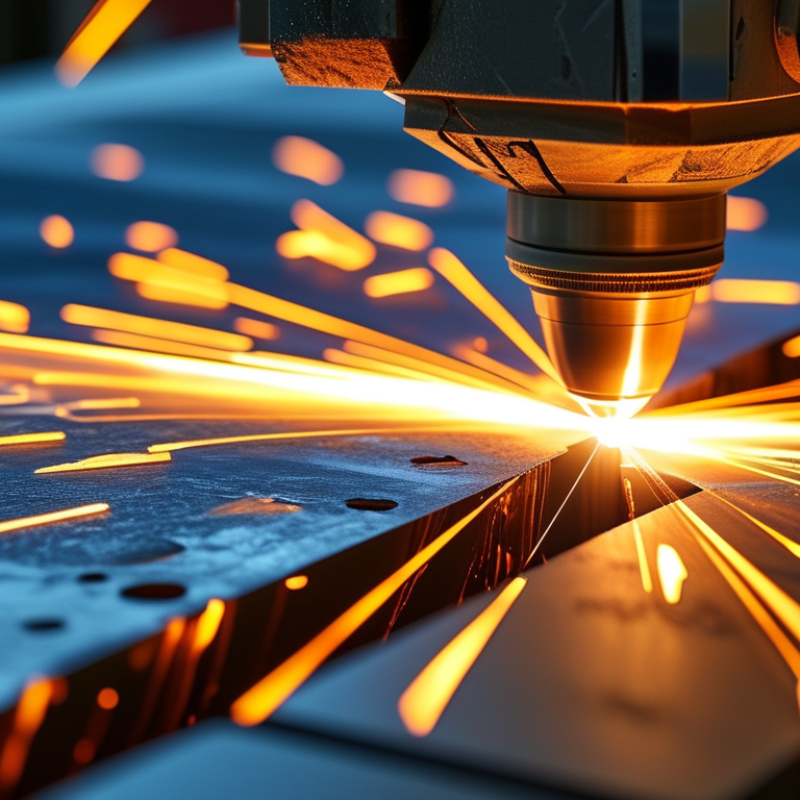
Laser cutting has gained popularity due to its precision and versatility. However, many users notice an issue: the edges often turn black. This phenomenon can occur due to several factors inherent in the laser cutting process. Understanding these factors is crucial for improving the quality of cut materials.
The discoloration happens primarily from incomplete combustion of the material. Inadequate power settings or slow cutting speeds can lead to excessive heat concentration. According to a report by the International Journal of Advanced Manufacturing Technology, optimal settings are critical. A power setting of around 80% with a feed rate of 20 inches per minute often yields clean cuts. However, these numbers can vary based on material and thickness.
Further complications arise when operators do not account for material types. For instance, stainless steel may require different settings than acrylic. The composition of the material can influence how the laser interacts during cutting. Factors like moisture content and impurities can further accentuate the discoloration issue. It's essential to experiment with settings and monitor results to attain the desired cut quality without discoloration. Addressing these aspects can greatly enhance the efficiency and quality of laser cutting processes.
| Material Type | Cutting Speed (mm/s) | Laser Power (W) | Edge Quality | Blackening Occurrence |
|---|---|---|---|---|
| Aluminum | 50 | 150 | Good | Low |
| Mild Steel | 60 | 200 | Moderate | High |
| Stainless Steel | 40 | 180 | Excellent | Moderate |
| Acrylic | 70 | 100 | Very Good | Low |
| Wood | 30 | 120 | Good | High |
: Blackened edges often result from the type of material being cut, like carbon or stainless steel. Oxidation during cutting is a key factor.
Cutting too slowly can burn the material excessively, while cutting too fast might cause incomplete cuts, both leading to discoloration.
An incorrectly focused laser can burn edges more than necessary, affecting the quality of the cut. Calibration is vital.
Different materials react differently; metals like aluminum behave differently than organic materials. Their composition plays a role in oxidation rates.
High moisture levels in materials like wood can lead to charring, resulting in darker edges. Keeping moisture low is essential.
Adjusting cutting speed, using gas assists like nitrogen, and selecting the right materials can minimize blackened edges during cutting.
Yes, experimenting with different settings and techniques is important for achieving cleaner edges, though it may take time to refine processes.
Yes, contaminants on the material's surface can contribute to unwanted burns and discoloration. Proper cleaning is essential before cutting.
Yes, finding optimal settings often involves trade-offs between speed, quality, and edge appearance, revealing the complexity of laser cutting.
Each technique has a learning curve. There may be imperfections in the process that require ongoing reflection and adjustment.
Laser cutting is an efficient technique used to achieve precise cuts in various materials, but it often leads to the issue of blackened edges. This raises the question, "why is laser cutting edges turning black?" The phenomenon can be attributed to several factors, including excessive heat, incorrect cutting speeds, and the properties of the material being cut. Materials with high carbon content or those that are poorly prepared may be more susceptible to discoloration due to thermal oxidation and carbon buildup along the cut edges.
To mitigate the blackening effect, it is crucial to adjust cutting parameters like speed and power output and utilize proper materials and techniques. Implementing specific measures, such as using assist gases or optimizing laser focus, can significantly reduce edge discoloration. For already discolored edges, various cleaning and finishing techniques, including abrasion or chemical cleaning, can restore the material's appearance and functionality. Understanding these factors can help in achieving cleaner cuts and improving overall results in laser cutting applications.

 Zico Machine